Before this, NVRs could only be connected to routers through Ethernet cables; After this operation, the NVR can connect to the router through WIFI.
And it needs to upgrade the NVR to the specified version(https://fealushon.com/wp-content/uploads/2026/10/NVR3536DV20016M_2GWEB_RS_RJXS_TUYA_V85220246.mt7601.T000.20260907.zip).
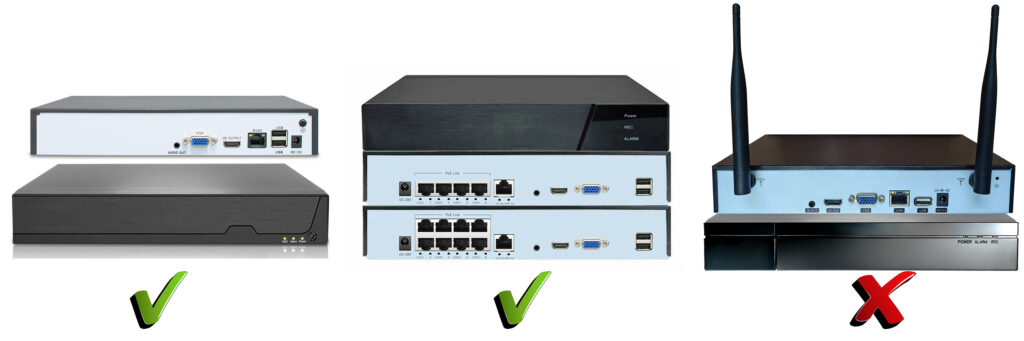
Note: In the NVRs I sell, the wireless NVRs (with antenna,one USB) cannot be set up like this way.
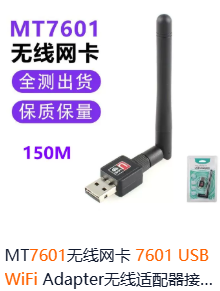
Use the WIFI transceiver of the following model(MT7601)
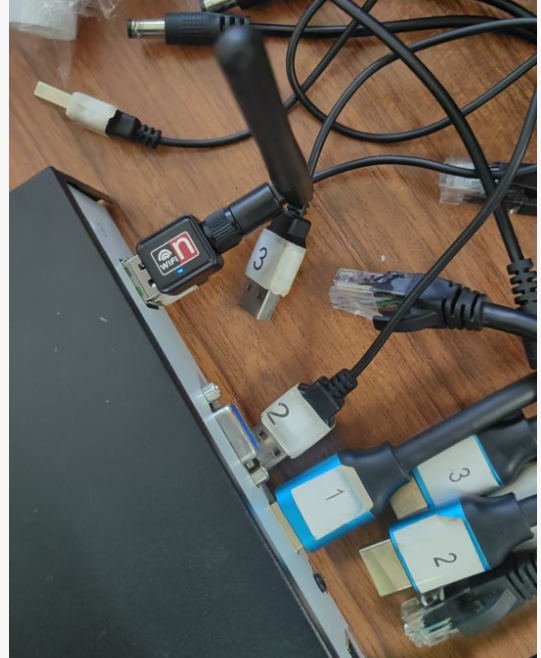
1、Insert the WiFi module into the USB interface of the device.
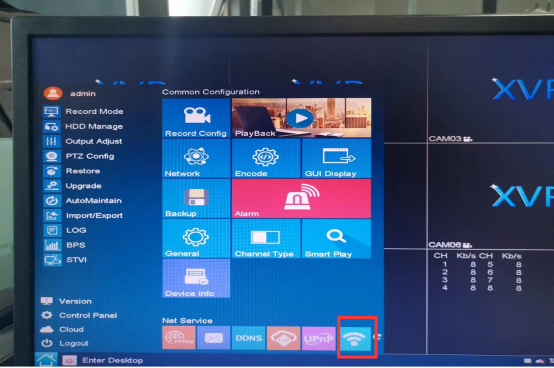
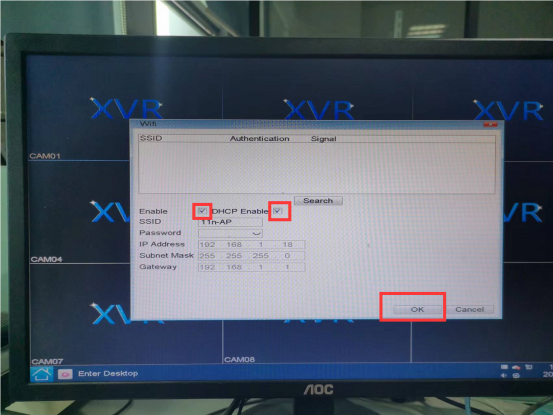
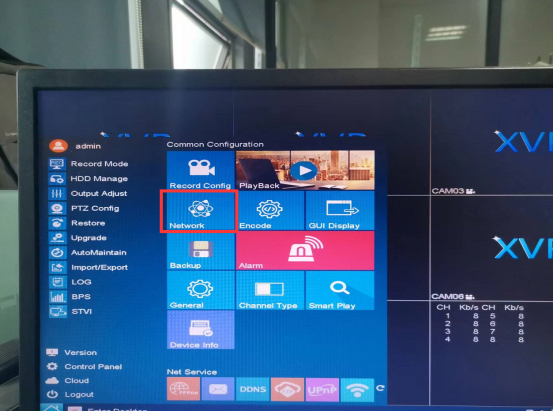
2、 Find the WiFi function interface, enable it, and click “OK” to automatically close the interface.
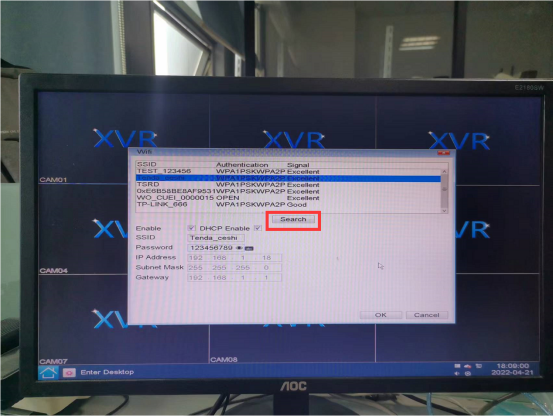
3、Open the WiFi function interface again and click “Search” to search for the name of the WiFi signal that needs to be connected.
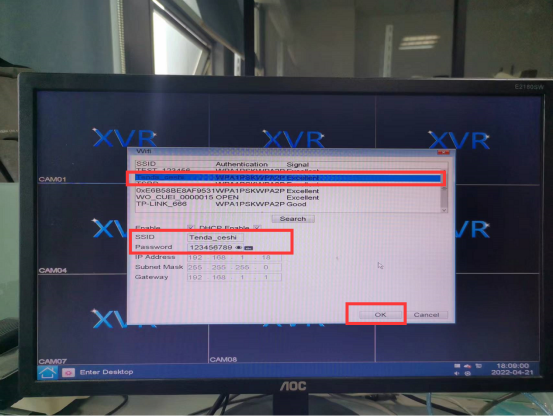
4、 Select the name of the WiFi signal that needs to be connected, enter the correct password, and click “OK” to automatically close the interface.
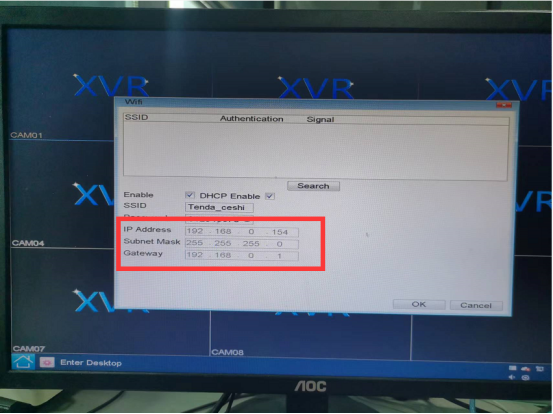
5、Open the WiFi function interface again, and when the IP address automatically changes, it indicates that the WiFi has been successfully connected.
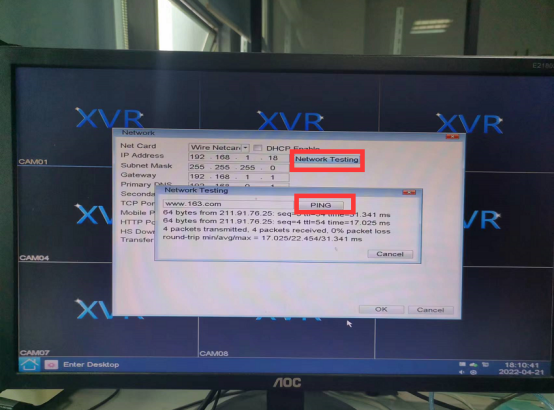
6、Open the network settings function, click on “Network Testing”, enter the website address, click on “PING”, the network can be pinged normally.